
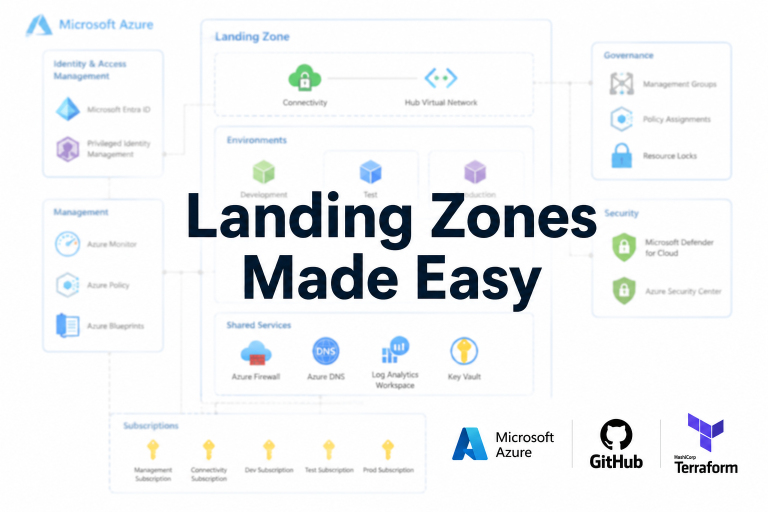
What if I told you there’s an even easier way to deploy your Landing Zone (LZ)
If like me your preferred IaC language is Terraform you’ll be used to hand crafting the scripts & modules to deploy your LZ elements as per the required design. It’s an intensive effort even for a moderately sized deployment.
Now there’s an easier way. You can simply describe what you need (your design), using well written & accurate prompts and GitHub CoPilot (GHCP) will build out your terraform code/modules to match this design:
How to get started prompting Landing Zones?
Fire up VS Code
We’re going to assume you already have:
- Github repo setup for your LZ
- VS Code is logged into the same Github account your new LZ is in
- VS Code configured with required extensions (HashiCorp Terraform, Microsoft Terraform, Azure Resources)
GHCP is now integrated with VS Code – update your version of VS Code if possible otherwise install the GHCP extensions
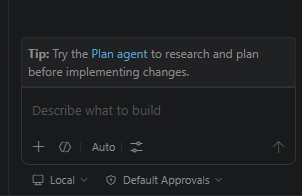
Witin VS Code use Ctrl + Alt + I to launch the GHCP prompting window, it should look like this:
Locally within VS Code make sure you have a folder structure setup for your LZ
My_Landing_Zone
-----------modules/
           -------management
           -------connectivity
           -------identity
           -------subscriptions
-----------environments/
-----------------------dev/
-----------.github/
-----------------------copilot-instructions.md/
-----------main.tf
-----------variables.tf
-----------outputs.tf
-----------terraform.tfvars
Let’s Prompt
Ok, with everything ready here’s the initial prompt:
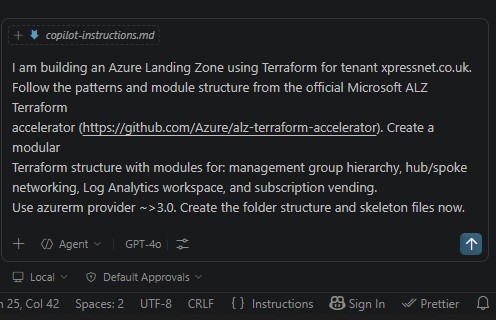
GHCP does it’s thing:
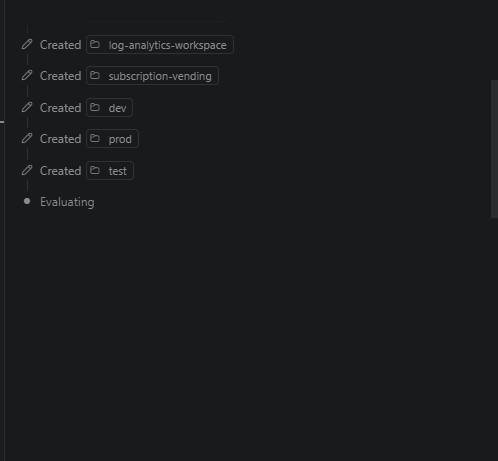
This creates your initial LZ configuration, we’ve still got to deploy to Azure
But wait, what if I use Claude Code?
Ha! Microsoft would have you believe that only GHCP is capable of this, but vibe coding has been around a while and this is something better achieved in a paid subscription to the AI tool of choice – in my case it’s Claude. Let’s go:
I’m building a greenfield Azure Landing Zone for Azure tenant xpressnet.co.uk using Terraform as the IaC tool.
Context
- This is the connectivity module only (modules/connectivity/)
- azurerm provider version ~>3.0
- All resources deploy to UK South (uksouth) unless stated
- Module will be called from a root main.tf — write it as a self-contained module
- Follow Microsoft ALZ hub/spoke best practices
Hub VNet
- Address space: 10.0.0.0/16
- Subnets required (use variables for all CIDR ranges, no hardcoded values):
- GatewaySubnet (suggest 10.0.0.0/27 as default variable value)
- AzureFirewallSubnet (suggest 10.0.1.0/26 as default variable value)
- AzureFirewallManagementSubnet (suggest 10.0.1.64/26 as default variable value)
- ManagementSubnet (suggest 10.0.2.0/24 as default variable value)
Spoke VNets
- Create a variable that accepts a map of spoke definitions (name, address space, resource group)
- Each spoke should peer bidirectionally to the hub
- Allow traffic forwarding and gateway transit on peering
NSGs
- Create an NSG for the ManagementSubnet
- Deny all inbound by default, allow RDP/SSH only from ManagementSubnet CIDR
- Associate NSGs to appropriate subnets
- Do NOT attach NSGs to GatewaySubnet or AzureFirewallSubnet (Azure does not permit this)
Route Tables
- Create a route table for ManagementSubnet
- Default route (0.0.0.0/0) pointing to AzureFirewall private IP (accept this as a variable — firewall may not exist yet)
- Associate route table to ManagementSubnet only
Tagging
- All resources must accept a var.tags map and apply it
- Suggested default tags: environment, owner, created_date
File Structure Required
modules/connectivity/ ??? main.tf — all resources ??? variables.tf — all input variables with descriptions and defaults where sensible ??? outputs.tf — output hub VNet ID, hub VNet name, all subnet IDs, spoke VNet IDs ??? README.md — brief description of module inputs and outputs
Constraints
- No hardcoded values anywhere in resources — everything via variables
- Use terraform resource naming convention: lowercase, hyphens not underscores
- Add lifecycle ignore_changes on tags where appropriate
- Do not create an Azure Firewall resource itself — just reserve the subnet and accept firewall private IP as a variable for routing purposes
Et Voila, my Terraform
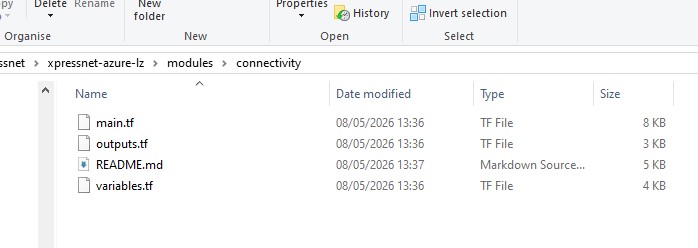
Beautiful isn’t it? Now keep going, the Subscription Vending one will be the most fun
A Recommendation from experience
Before running terraform apply on anything, always run:
terraform plan -out=tfplanAnd review the plan output carefully. Copilot/Claude-generated Terraform is generally solid but will occasionally get resource naming, SKUs, or dependency ordering slightly wrong so the plan output makes these visible before anything is deployed.